Extend Video
Continue a clip with what happens next, described in your prompt.
Edit your videos with natural language and your references. Add visual effects, change the style, expand to a new ratio or extend your scenes.
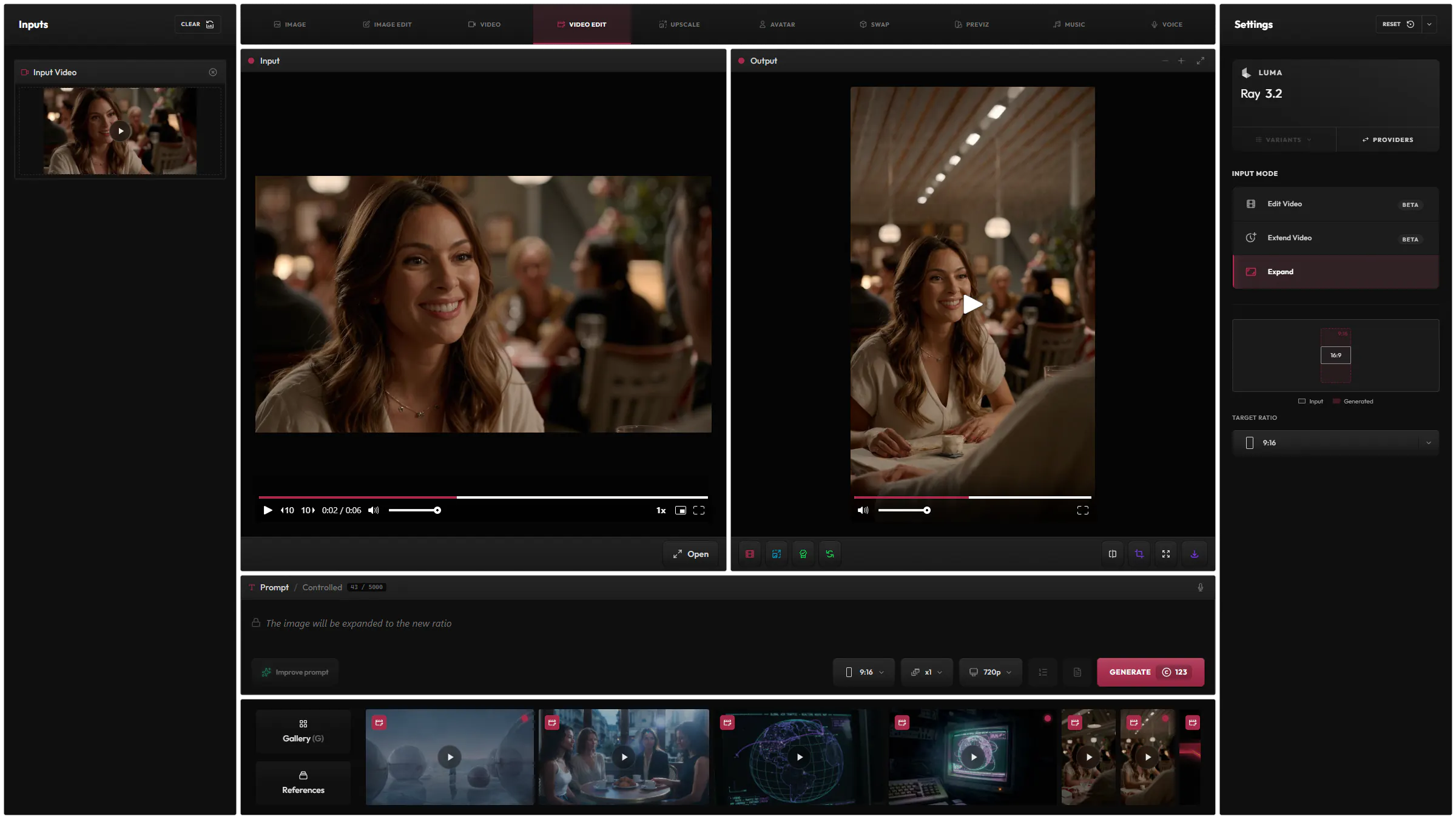
Take a 16:9 clip to 9:16, and the model fills in the rest of the scene.
Edit your videos with natural language instructions. Change the @lighting of a clip, and add references to your prompt to guide the edit even more precisely.
 Gemini
 Seedance
 Luma
Luma MiniMax
 Grok
Grok Flux
Flux HappyHorseWan
MiniMaxH3
Take a clip to a new aspect ratio, such as 16:9 to 9:16, and the model fills in the new parts of the frame.
Luma LTX
LTXContinue a clip with what happens next, described in your prompt.
Restyle a whole clip from a style preset or a reference image.
A full editor for long prompts, not a single line.
Add your saved snippets with @. They show as tags in the prompt.
Refer to each loaded image by its token, such as @image1.
Give a @variable up to ten values and get one generation for each.
Rewrite your prompt for the selected model, and undo it in one click.
Translate your prompt to English, keeping its tokens and variables.
14 models from 8 providers, the same list as the model picker in the app.
GeminiGoogle
SeedanceBytePlus
Luma
MiniMax
GrokxAI
FluxBlack Forest Labs
HappyHorseAlibaba
LTX
WanAlibaba
Video creates a new clip. Video Edit changes a clip you already have.
It depends on the model, up to a minute for the longest.
Usually, yes, and so does Expand. Extend Video adds the length you choose.
Each model has its own price in credits, listed on the Models page, and you see the cost before you generate.
Hylope 1.7 is open to everyone. New accounts start with 100 free credits.