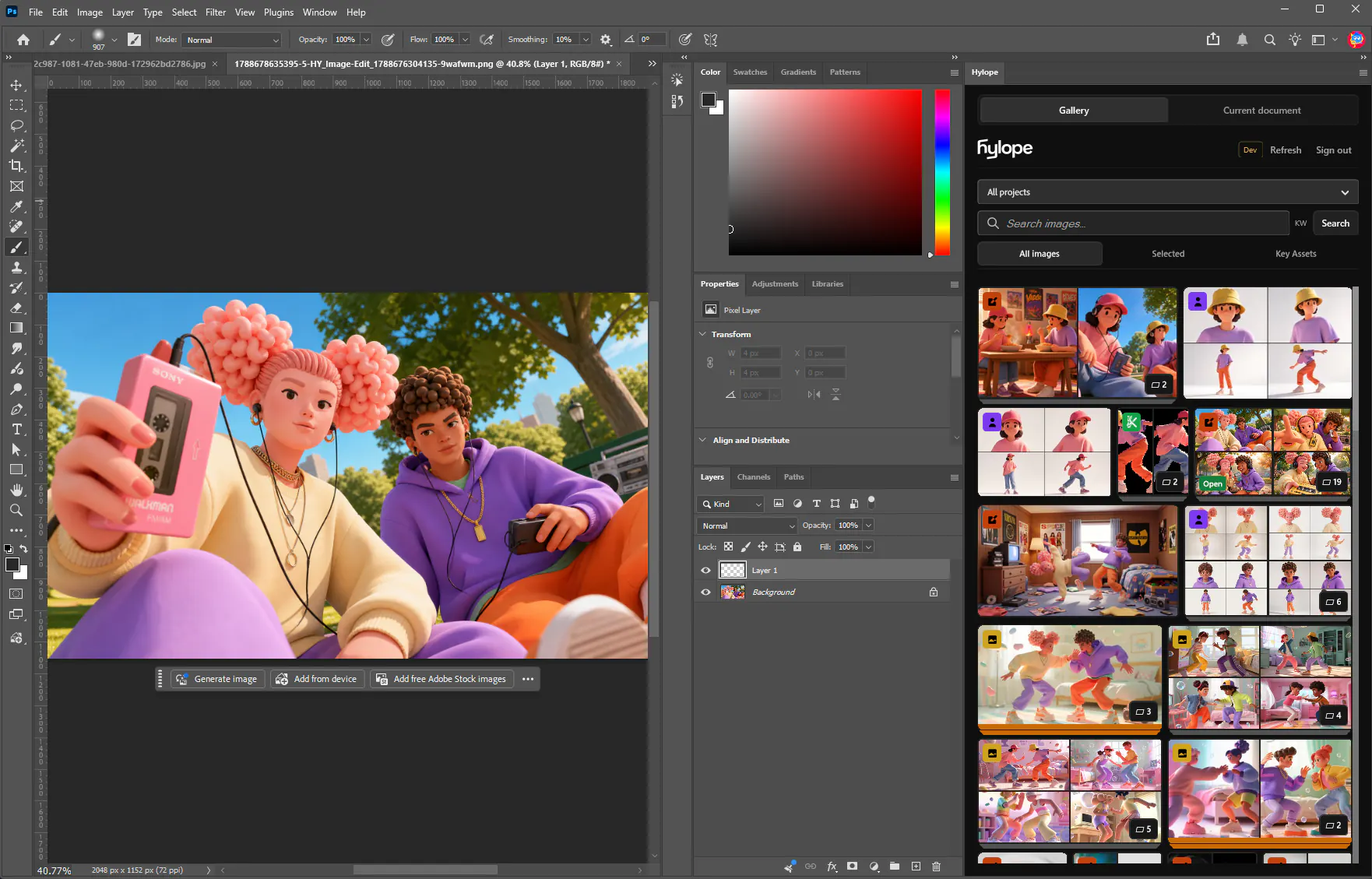

Pick a version. Edit in Photoshop. Save back.
The panel shows your projects, your selection, and your Key Assets. Open an asset or place it as a smart object, then save a PNG copy as its next version.
Browse projects, selected images, and Key Assets without leaving the document. Open what you need, edit with your own layers, and save the result back as a new version.

The panel shows your projects, your selection, and your Key Assets. Open an asset or place it as a smart object, then save a PNG copy as its next version.
Download the file and double-click it. Creative Cloud installs the plugin on Windows and macOS.
Find Hylope in Photoshop’s Plugins menu and dock the panel wherever it fits your workspace.
Choose Sign in with Hylope, pick a workspace in the browser, and confirm the code shown in Photoshop. No password goes into Photoshop.
No. It connects Photoshop to your Hylope library: you generate in Hylope, edit in Photoshop, and each save comes back as a new version.
Photoshop 25.0 or later, on Windows and macOS.
No. You sign in from your browser and confirm a code. The connection can read images and save new versions within your project permissions. It cannot delete assets or change workspace settings, and you can disconnect it at any time in Settings > Security.
Save New Version sends a PNG of the document back as the next version of the same asset, in the same gallery card. Inputs in Create that hold the asset then show Update. Your layered document stays in Photoshop.
Hylope 1.7 is open to everyone. New accounts start with 100 free credits.