Style instructions
Describe the mood and the character of the speaker, on the models that take it.
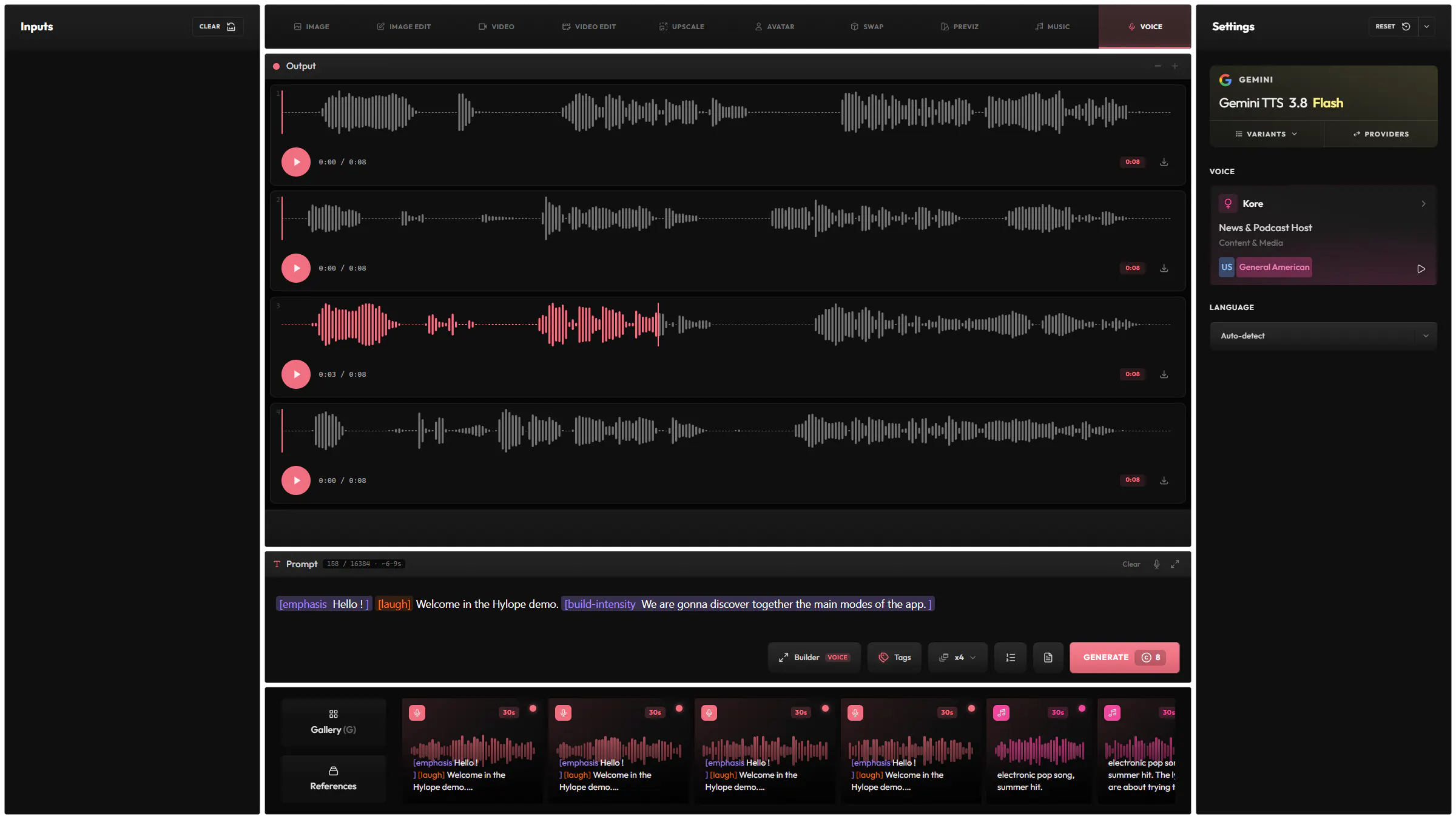
Add pauses, laughs and changes of tone with speech tags, and pick from a large library of voices and languages.
Get several takes of your script at once, and keep the one you like.
Search the voice library by language, accent and use case, and hear each voice before you pick it.
Describe the mood and the character of the speaker, on the models that take it.
Make the voice speak faster or slower, on the models that offer it.
The voice starts playing before the generation has finished, on the models that support it.
Give your voice to a character with the Avatar input mode of Video.
6 models from 4 providers, the same list as the model picker in the app.

GeminiGoogle

xAI

ElevenLabs

MiniMax
It depends on the model, up to about 16,000 characters.
Many, depending on the model. Pick one, or let the model detect it from your script.
Yes. Every voice in the picker has a preview.
Each model has its own price in credits, listed on the Models page. The Generate button shows the cost before you submit.
Hylope 1.7 is open to everyone. New accounts start with 100 free credits.